Create a User in Identity Server
To create a user A person with the capability to log in to the CMP GUI software, such as a customer service advisor or agent. and assign them one or more group In the Customer Manager Platform hierarchy, the highest level of the structure. The group level can be used to group corporates. Groups can hold financial information. roles, follow these steps:
- Log in to the Identity Server Management Console.
-
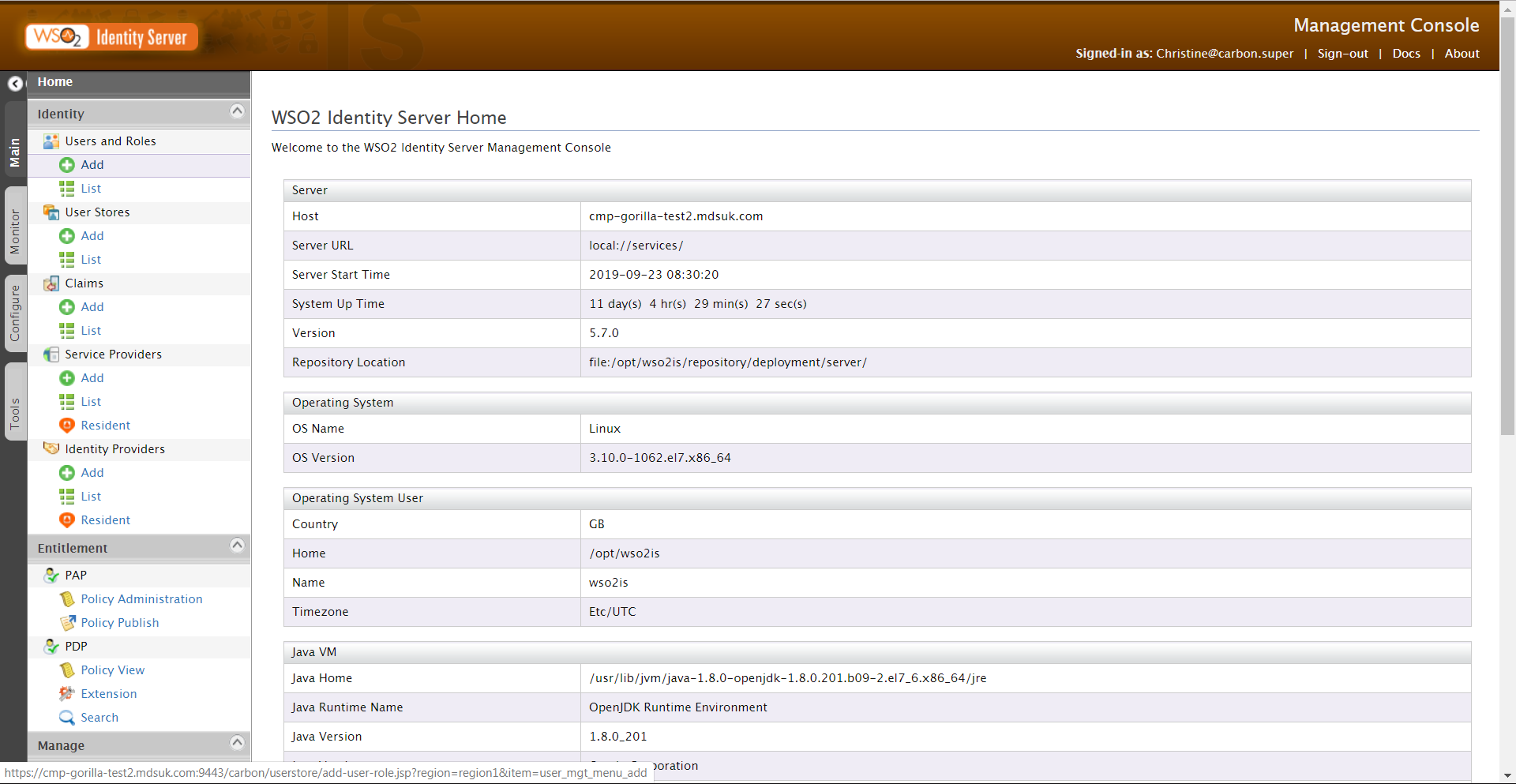
The console opens on the Home page. By default, the Main menu tab is selected.
-
In the Main menu in the Identity section, under Users and Roles, click Add.
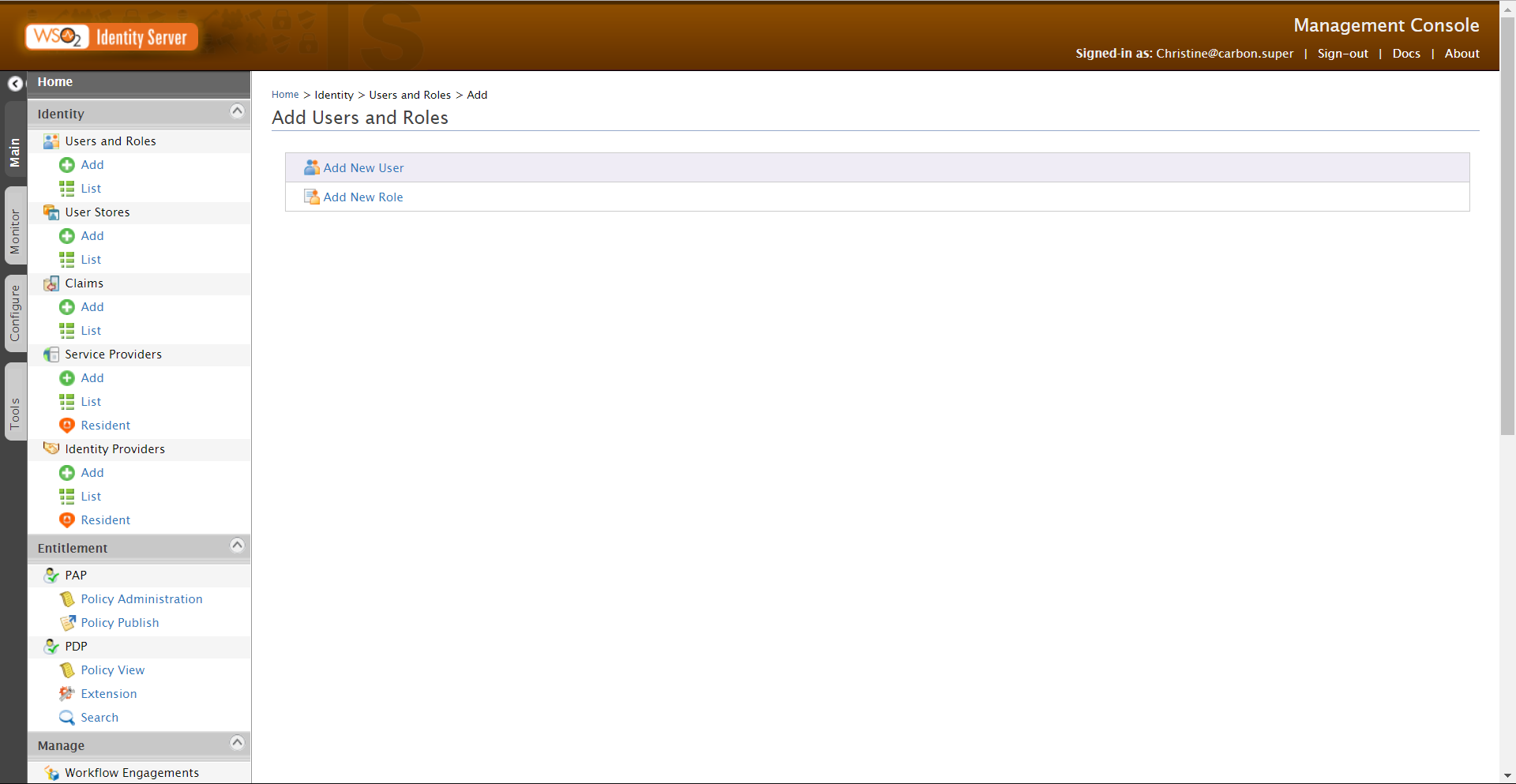
The Add Users and Roles screen opens.
-
Click Add New User.
The Add New User - Step 1 screen is displayed.
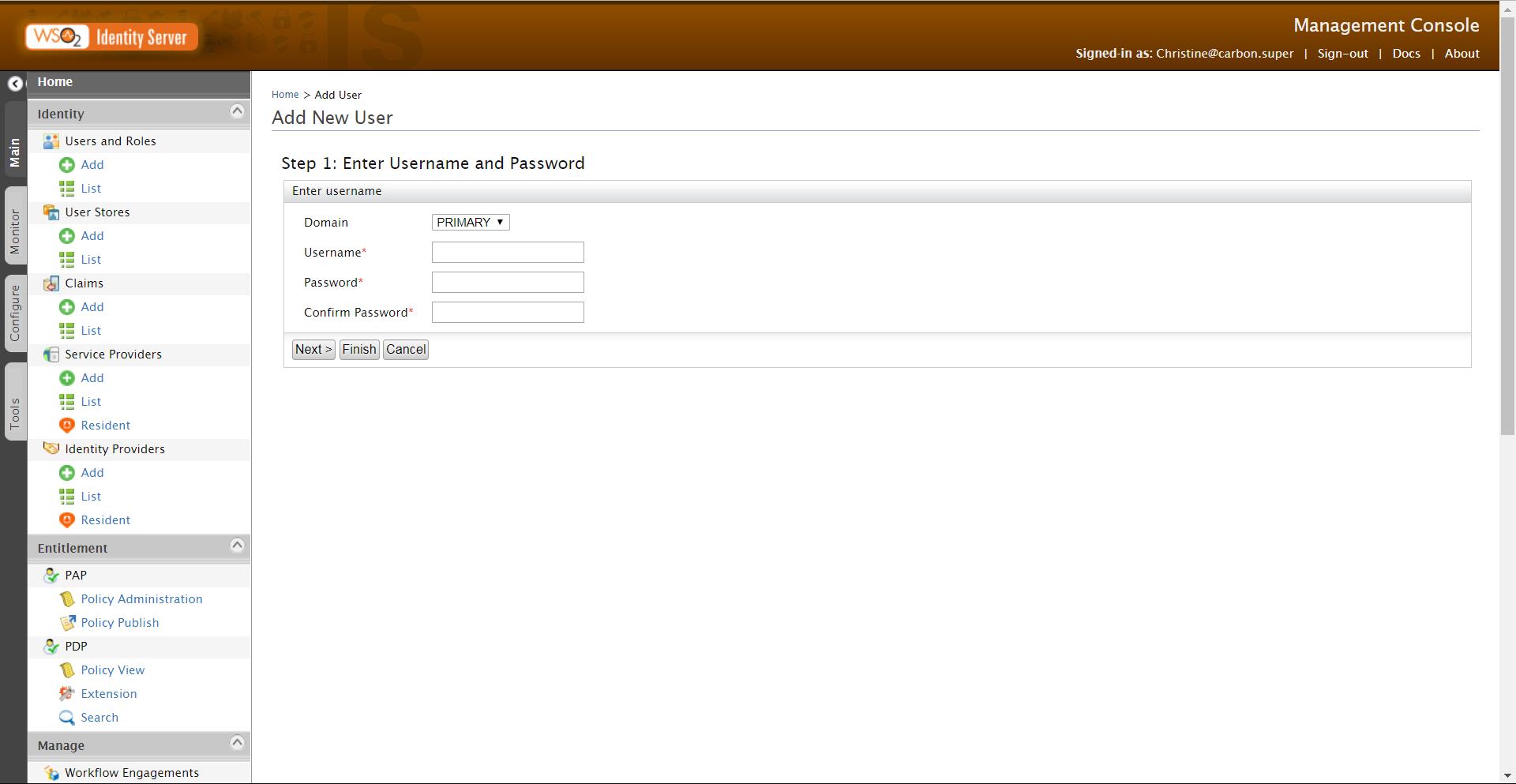
- In the Domain drop-down, accept the default selection of the PRIMARY domain.
- Enter a Username. You can use the underscore, full stop and hyphen in the username, but other special characters should not be used. The maximum username length is 100 characters.
- Enter a Password. Confirm the password.
-
Click Next to assign group roles to the new user.
If you click Finish at this point the user will be created but will not have any roles assigned.
-
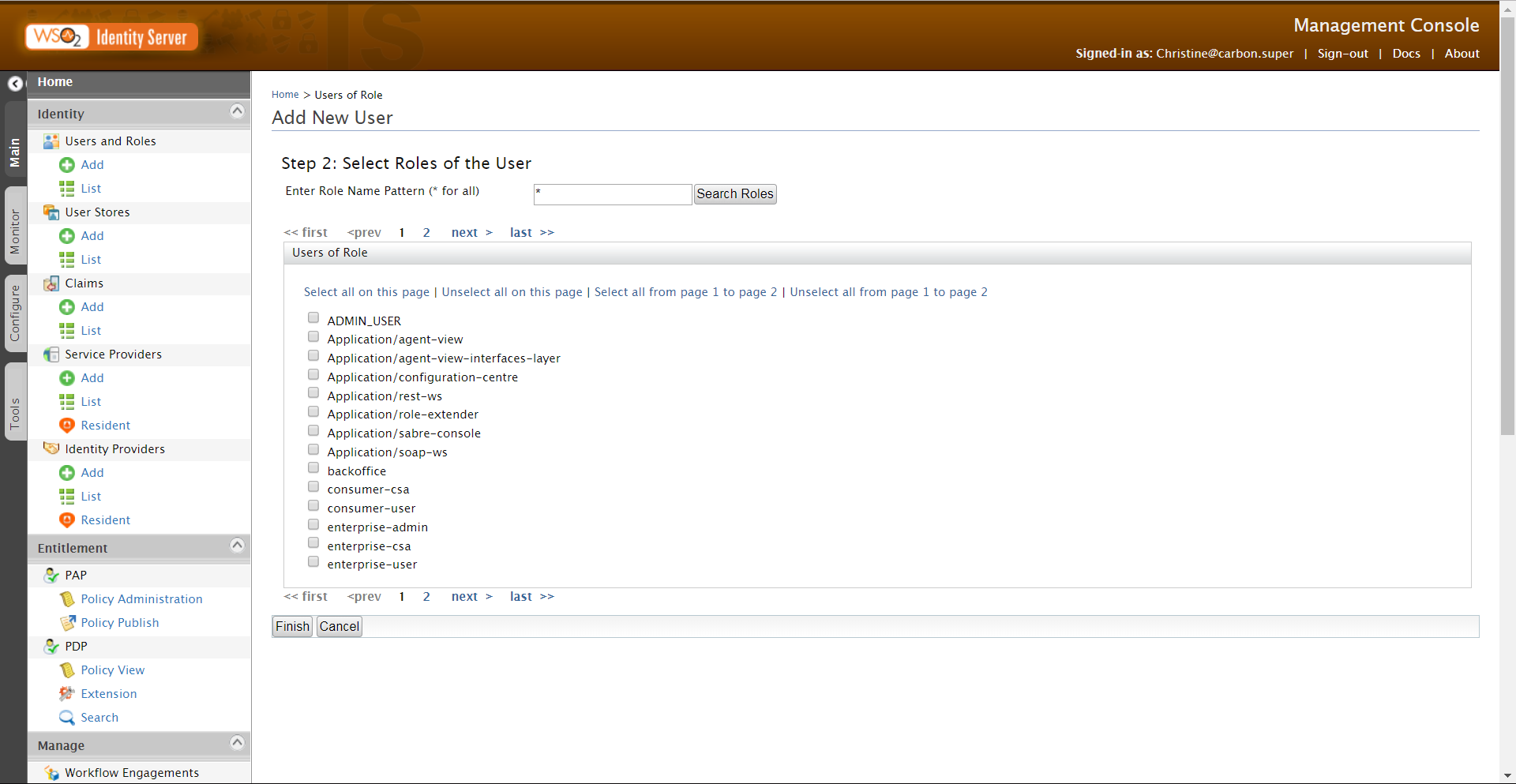
The Add New User - Step 2 screen is displayed.
Tips:
Use the Select hyperlinks at the top of the roles list to select/deselect multiple roles at a time.
You can search for roles using a pattern, for example*admin.
Use the pagination links to scroll through the pages of roles, if required. -
When you have added all the roles for the user, click Finish.
A success message is displayed and you return to the Users screen where the new user is listed.